
eSIM with Opera is here: get free data on your next trip abroad
Share


Hey all,
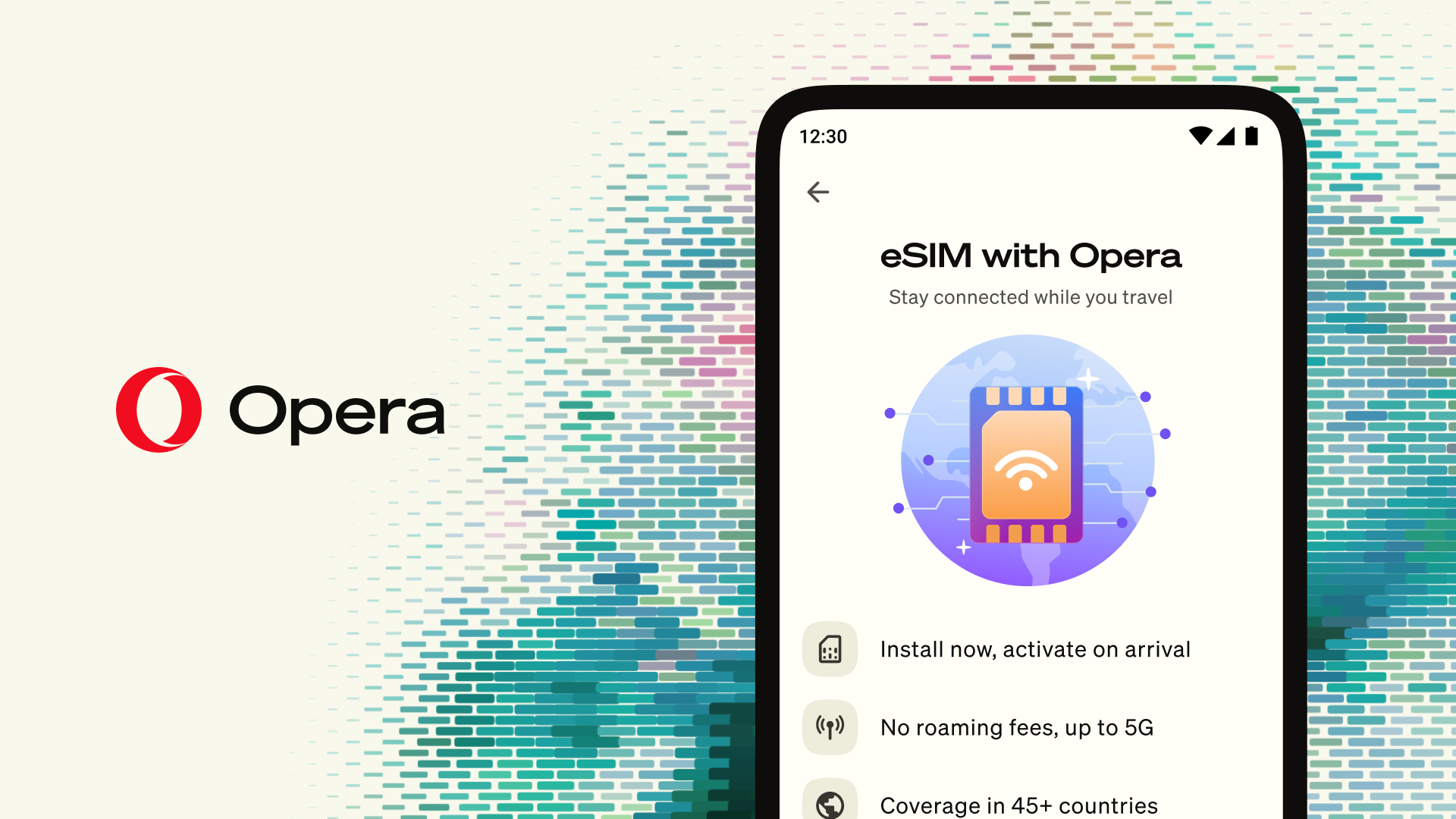
Are you traveling abroad anytime soon? Well, from today, you can buy a travel eSIM inside of Opera for Android and use it in 47 destinations. To kickstart your traveling experience, we’re giving you 3GB of free data valid for three days (in selected markets). The free data has zero commitment from your side: no payment details, no email address, nothing.
We built this directly into the Opera browser for Android phones, so you don’t need a second app, you can forget about the queues at an airport kiosk to get a new SIM, and forget about those expensive roaming bills. You can set up the eSIM at home, and it only starts counting when you land in your destination. The eSIM covers data only, and it doesn’t replace your existing phone number.
What an eSIM actually does for you
An eSIM is a SIM card built into your phone that you activate with software instead of a physical card. The eSIM with Opera lets you pick a data plan for one of the 47 destinations, set it up in the browser, and switch it on when you land. It gives internet access to your whole device, not just your Opera browser.
I would have taken this deal in a heartbeat during my semester abroad. Back then eSIMs did not exist, and I spent more than 20 dollars on roaming during my first day alone, purely on looking up directions to my new flat and telling my parents I had landed in one piece.
When your plane lands abroad, you turn off airplane mode and your phone works: you can send a message home, plan your route to the hotel, or take a look at what’s nearby for dinner. And, with an eSIM you don’t need to worry about a surprise bill waiting for you back home after your trip; if you buy data you know exactly what you’re paying for.
How to get your free eSIM data package
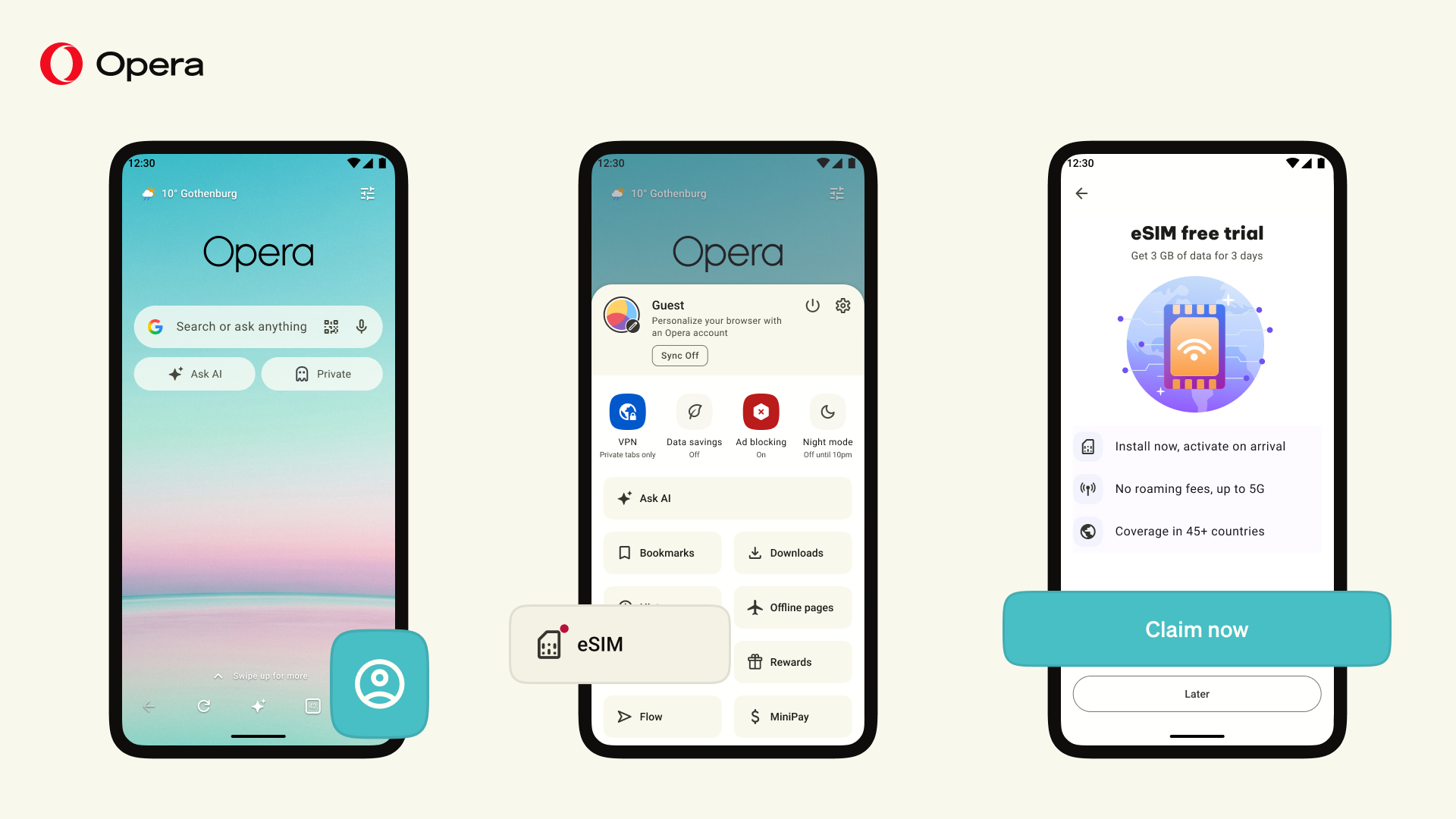
To get your free 3GB of data valid for three days:
- Download or update Opera for Android and open it.
- Tap on the profile icon at the bottom right of the screen and scroll down.
- Tap on the eSIM option.
- Then tap on “Claim now”
- Once there, choose the destination country and confirm.
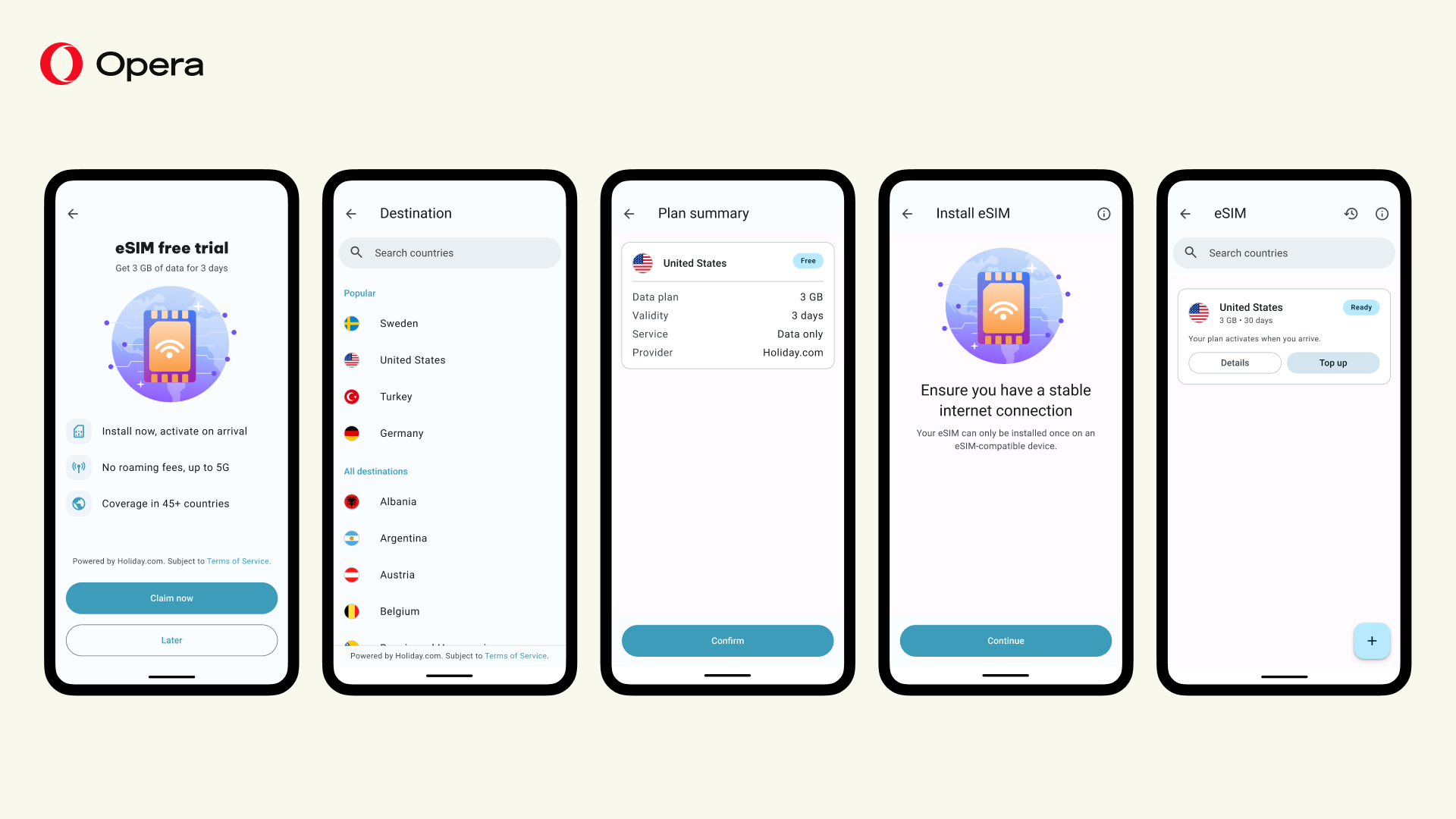
That’s it, your free data is claimed and you’ll be prompted to install the eSIM on your phone.
To get your eSIM set up, use a stable connection before you travel, and make sure you have a supported, carrier-unlocked Android phone.
For more on how to activate an eSIM in Opera for Android please check out this guide.
Once you’ve installed the eSIM, it won’t start counting until it first connects to a network in your destination country. You have up to a year from purchase for that to happen, after which it expires.This means that you can claim your three days of free data before you travel and use them when you actually need them.
You only install the eSIM once. If you’re moving between countries you top up the same eSIM with data for wherever you’re heading next. This means that you don’t need to set up and install a new one for each stop.
What you need to use the eSIM on Opera
While the free data is no commitment, there are some technical requirements for you to be able to claim it and use an eSIM. You’ll need the latest version of Opera for Android on a phone that’s running Android 10 or newer, the phone must support eSIM and it must be carrier unlocked. You can refer to our FAQ if you have more questions.
Remember that eSIM can be acquired only in Opera for Android, not in Opera Mini or Opera GX mobile, and it provides data access to your whole device, not just the browser.
Where can you use the eSIM?
You can choose to get an eSIM for any of 47 destinations: Albania, Australia, Austria, Belgium, Bulgaria, Croatia, Cyprus, the Czech Republic, Denmark, Egypt, Estonia, Finland, France, Georgia, Germany, Greece, Hong Kong, Hungary, Iceland, Ireland, Italy, Latvia, Liechtenstein, Lithuania, Luxembourg, Malaysia, Malta, Montenegro, the Netherlands, New Zealand, Norway, Poland, Portugal, Romania, Singapore, Slovakia, Slovenia, South Korea, Spain, Sri Lanka, Sweden, Switzerland, Taiwan, Thailand, Türkiye, the United Kingdom and the United States.
You can use the same eSIM throughout your trip and get a data package per destination and top it up if you want to. The internet connection has 5G quality wherever the local networks support it, and where they don’t, you get the next best connection available.
What happens when you run out of data?
Go back to Opera and open the eSIM section. There you can pick how much data you want – 3GB, 5GB or 10GB – and which country you want it for. The data is added to the eSIM already on your phone, so there’s no need to set up or install one again. It’s worth noting that you’ll need an internet connection to do it, so it’s good to top up before you use all the data.
This also means that one eSIM covers a whole trip abroad to many countries. If you go to Thailand, then Malaysia, and then to Singapore, you can use the same eSIM and top it up for each destination.
The prices are shown for each country and vary depending on each destination and how much data you’re buying, as well as your local currency. The price for each destination will be displayed in the browser before you pay.
Set up your eSIM before your next trip
Download or update your Opera browser on your Android phone and claim your free data before your next trip.
For now, the free data is available for those of you located in the United States, the United Kingdom, Germany, France, Canada, the United Arab Emirates, Brazil, the Netherlands, Norway, Sweden, and Poland, and you can use it in any of the 45+ destinations that the eSIM supports. The eSIM itself can be bought from anywhere in the world for any of the destination countries available.
Read more on how to set up an eSIM on Opera for Android here.
The eSIM in Opera is powered by Holiday.com.

User comments
You deserve abetter browser
Faster, safer and smarter than default browsers. Fully-featured for privacy, security, and so much more.


You deserve a better browser
Opera's free VPN, Ad blocker, and Flow file sharing. Just a few of the must-have features built into Opera for faster, smoother and distraction-free browsing designed to improve your online experience.