
Opera brings HTML-in-Canvas to gamers and developers
Share


Hey all,
From helping bring Canvas to the web in 2006 to working on WebGL, Opera has helped shape web graphics for two decades. Now we’re taking the next step.
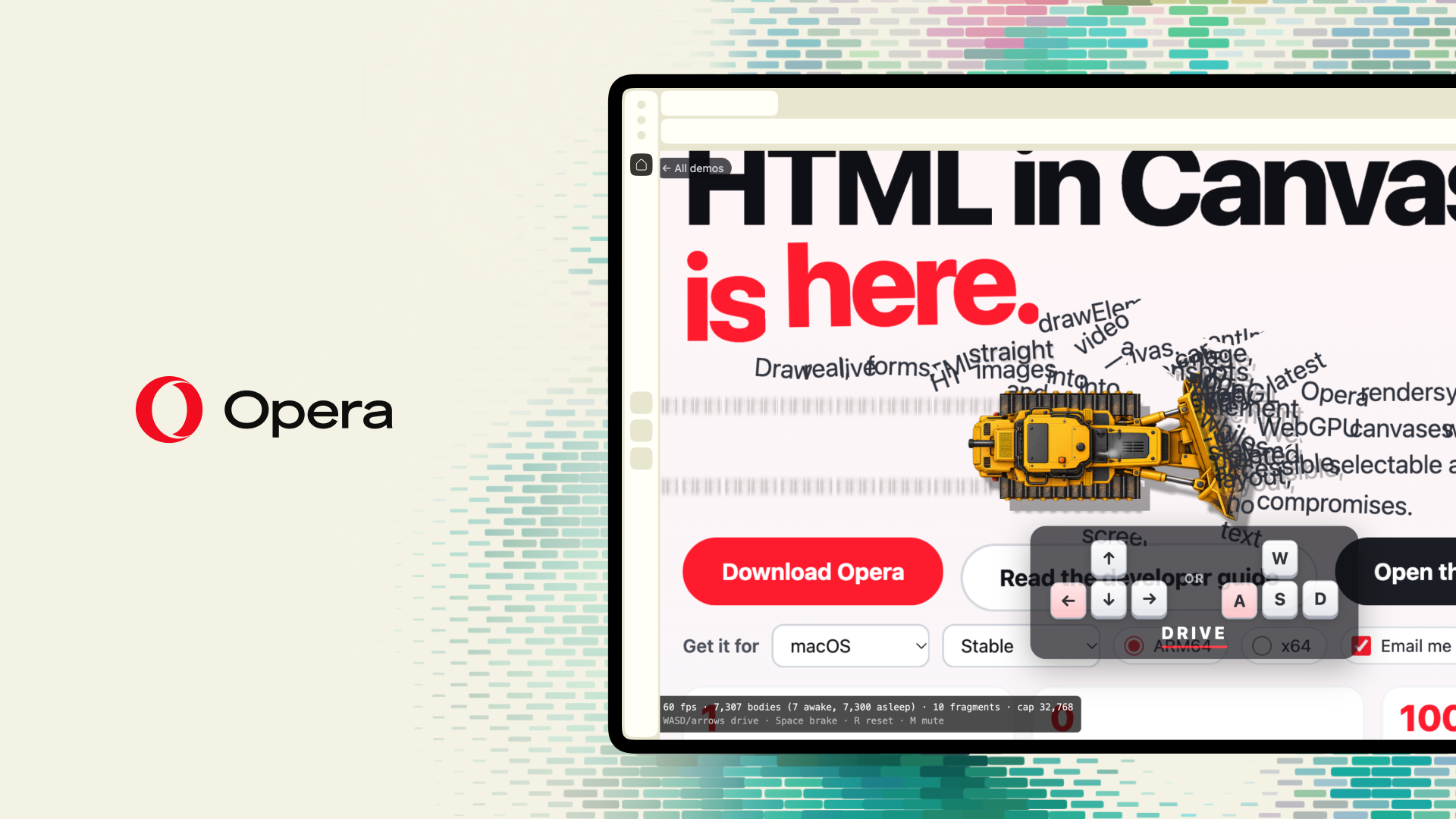
Starting today, you can try HTML-in-Canvas in Opera One with Opera GX, and Opera Neon to follow. It’s a new web capability that puts real, interactive web pages inside 3D worlds.
What is HTML-in-Canvas?
Until now, canvas content was rendered as pixels. You couldn’t click it, type into it or select its text.
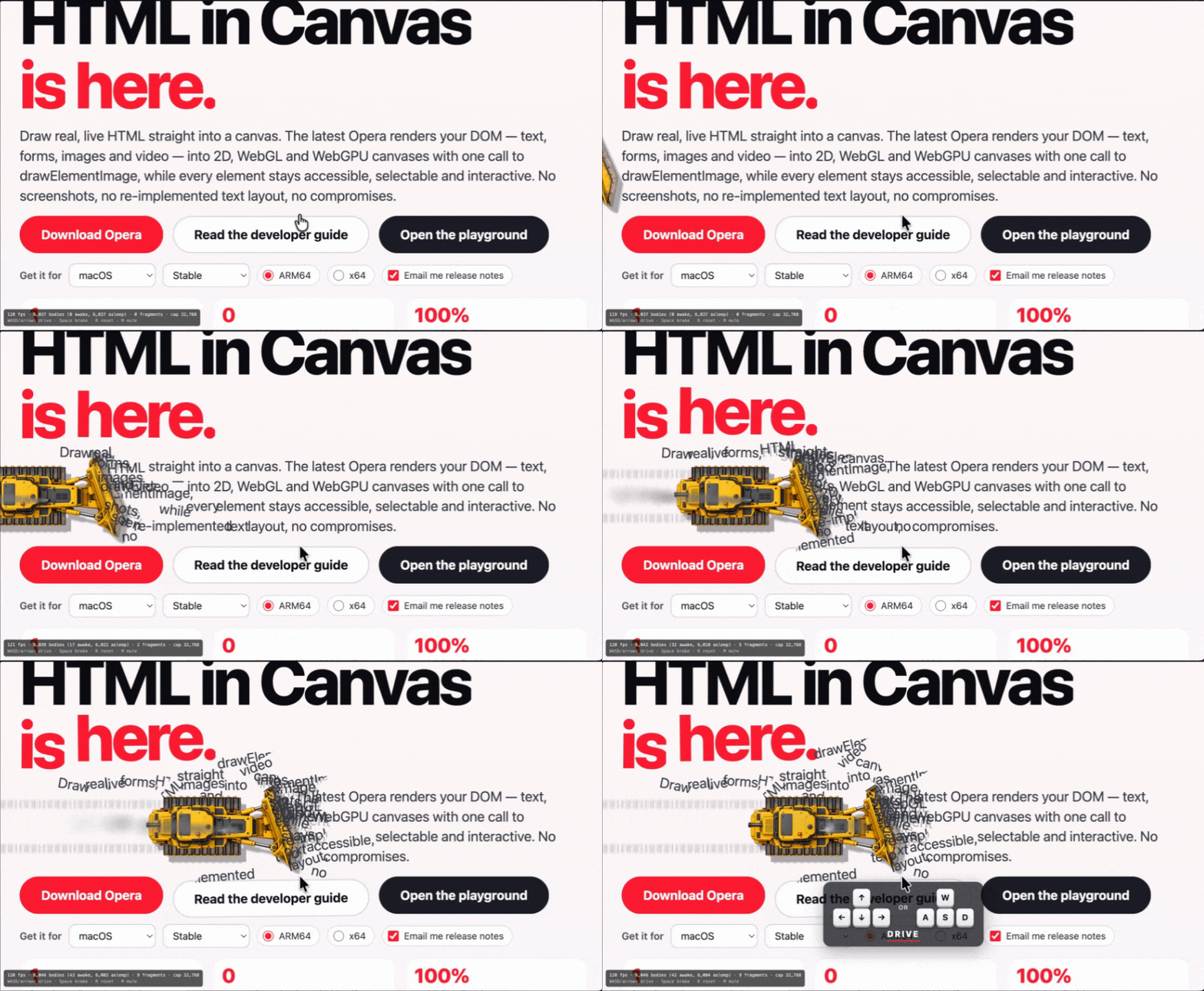
HTML-in-Canvas changes that. Developers can now place real HTML inside 2D and 3D scenes, and it stays fully interactive:
- Buttons you can click inside a 3D world
- Text you can select and copy
- Menus, sliders and forms that tilt, wrap and move with the scene
In short: WebGL put 3D in the DOM. HTML-in-Canvas puts the DOM in 3D.
Why gaming?
If you’ve built an HTML5 game, you know the interface is often the hardest part: shops, inventories, settings, chat. Now developers can build all of that with the web tools they already know and place it right inside the game world.
That’s why we’re bringing it to Opera GX, the browser built for gamers.
Honestly, this is a fun one. You can take a real web page and throw it into a 3D world, and everything still works: buttons, text, menus, all of it. We wanted users to get their hands on it early and see what they come up with.
— Maciej Kocemba, Product Director, Opera GX
See it in action
We’ve built a gallery of demos at next.opera.com/html-in-canvas including:
- Webpage Bulldozer: a bulldozer pushes a real webpage’s text, images and buttons into piles
- Gamer Room: a 3D gaming room where every screen is a live, interactive web page
- HTML Ninja: slice flying buttons, banners and toggles, but don’t hit the Opera logo
Plus eight effects demos, from forms that crumble to dust to checkboxes that frost over. Every demo has its own link, so share your favorite.
How do I try it?
- Download or update Opera One, Opera GX or Opera Neon
- Open next.opera.com/html-in-canvas and start playing. No setup needed
Want to use HTML-in-Canvas across the whole web? Turn on Early Bird in Settings, and it’s enabled automatically. You may need to restart your browser.
A quick note for developers
HTML-in-Canvas is an emerging web platform proposal, developed in the open and implemented in Chromium. Same-origin rules apply, so you can draw your own content into a canvas, but not other websites. Browser support is still growing. It’s available as an early preview, so expect some rough edges.
Demo source code is on GitHub and you can read more about the API in the WICG explainer.
Download or update Opera One, Opera GX or Opera Neon and see what the web looks like in 3D.

Emily Northway
User comments
You deserve abetter browser
Faster, safer and smarter than default browsers. Fully-featured for privacy, security, and so much more.



You deserve a better browser
Opera's free VPN, Ad blocker, and Flow file sharing. Just a few of the must-have features built into Opera for faster, smoother and distraction-free browsing designed to improve your online experience.