
Extension Builder: Build your own browser extensions via chat
Share


Hey all,
You can now build browser extensions in Opera Neon without writing any code.
Meet Extension Builder, now available in Opera Neon. Describe the extension you want in chat, see it in a preview, and install it in your browser with one click. You don’t need to know how to code or fiddle with manual installation steps.
What is Opera’s Extension Builder?
Opera has been a pioneer with web technologies. Now we’re bringing that to browser extensions, and opening extension-making up to everyone, not just developers.
Here’s how it works
Tell Neon what you want your extension to make, and it builds it for you. Before you install anything, a preview shows you how it looks.
Other AI systems can write extensions, but getting from code to a working extension takes several manual steps. Extension Builder in Opera Neon takes you from idea to installed extension seamlessly.
How do I use it?
- Make sure Opera Neon is updated to the latest version.
- Ask Neon to build an extension, by writing so in Neon’s chat.
- When it’s done, click “Load To Browser.”

- Click the extensions icon in the toolbar and select your new extension. Click the pin icon next to it to keep it in the toolbar.
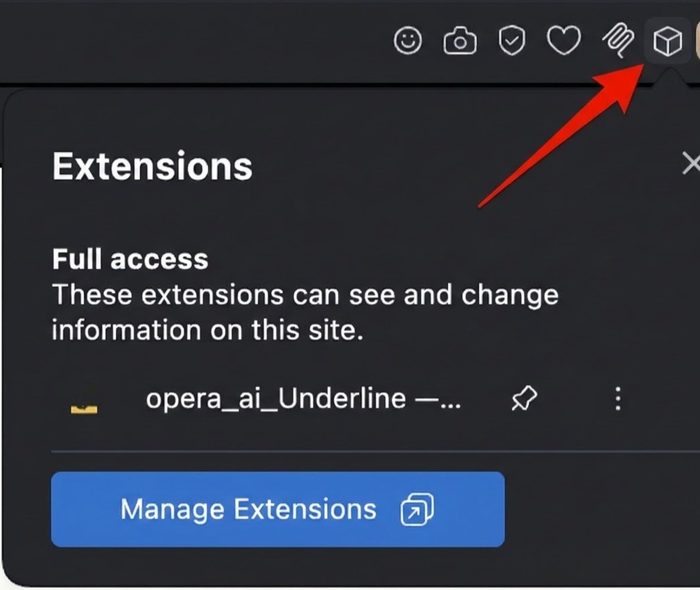
- Use your extension.
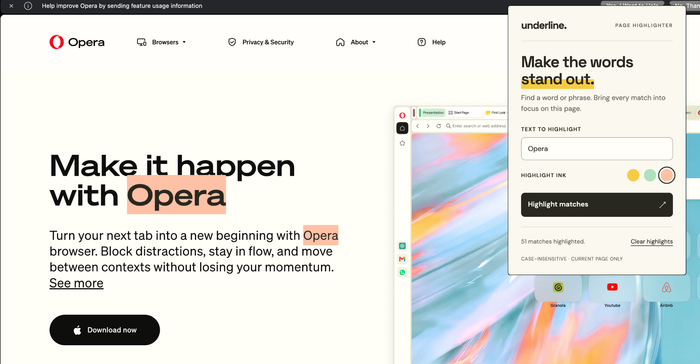
Want to change something?
Ask Neon in the same chat that built the extension. When it’s done, click “Load To Browser” again, and your extension updates automatically.
Try it yourself: a sticky notes extension
- In Neon chat, type: “Build an extension that lets me add sticky notes to any website, and keeps them there when I come back.”
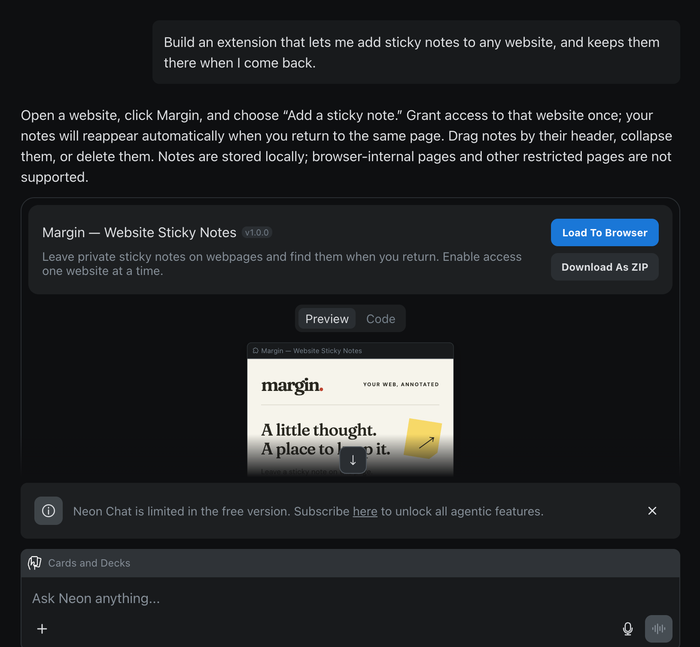
- Add the extension, and pin it to your toolbar if you like.
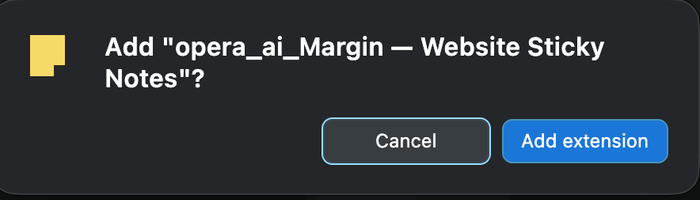
- Open any website and try it out.
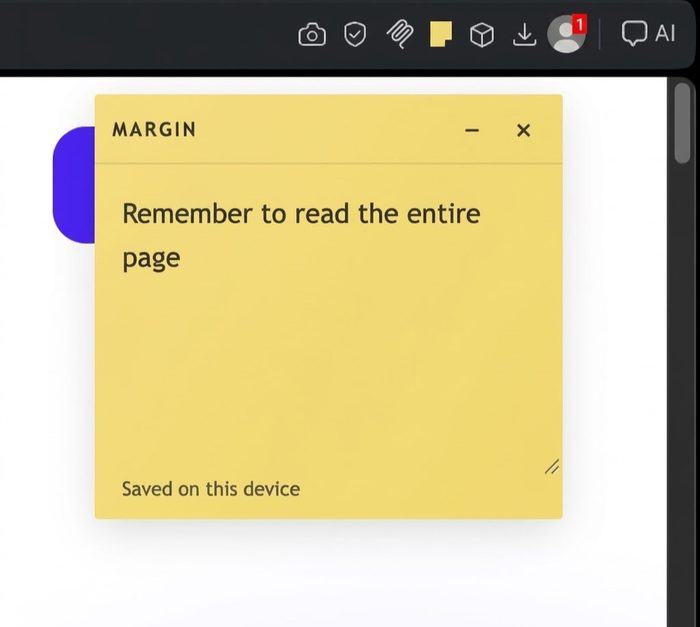
Available now in Opera Neon
Extension Builder is available today in Opera Neon, where we try out our newest ideas first. We plan to bring it to Opera’s other Desktop browsers later.
Share your extension with others
Built something you think others would love? Submit it to the Opera add-ons store at addons.opera.com/developer. Log in with your Opera account, and you’ll find the guidelines and policies there.
Happy building!

Emily Northway
User comments
Turn ideas into action
Chat, create, and get things done with Opera Neon, the AI-powered browser that researches, builds, and acts for you.



You deserve a better browser
Opera's free VPN, Ad blocker, and Flow file sharing. Just a few of the must-have features built into Opera for faster, smoother and distraction-free browsing designed to improve your online experience.