
How to keep your accounts safe: password tips from our Security team
Share


Be honest, are you still reusing your passwords?
Passwords are there to protect your accounts, but one leaked password can sometimes cause more trouble than you expect. If you reuse the same password across multiple accounts and that password is compromised, attackers could use it to try to access your other accounts.
This is why protecting your accounts isn’t only about keeping one password safe. It’s about adopting good password security habits and following best practices, which we wanted to share with you today.
Let’s get into it.
Do not reuse the same password for all your accounts
One of the most important things you can do is give every account its own password. In other words, do not reuse passwords. This practice puts multiple of your accounts at risk as attackers will often try stolen passwords across different services.
To reduce such risk, your passwords should have a high degree of entropy. Entropy measures the password’s strength and its unpredictability. Having a high degree of entropy means the password is harder to guess or crack. In more practical terms, you should create passwords that are:
- Long – Official security institutions recommend aiming for at least 15 characters in your password.
- Complex – your password should always contain a good combination of letters (ideally both in lower and capital cases), numbers and symbols.
- Unique – it should be different to ones you’ve used or created before for any of your other accounts.
We also recommend against using personal details such as names, birthdays or places in your password even if it helps you remember it. If an attacker happens to know this detail about you, it is possible that they will attempt to use it to guess your password or to bypass other security verifications.
Use a password manager
We know that creating unique passwords for all your accounts seems time consuming and difficult to remember. That’s where a password manager can help.
If you’ve never used or heard of a password manager before, it’s a tool that can generate a unique and strong password for each account you create. It then stores the password and will autofill for you the next time you log in. That way, you don’t have to remember them separately or spend time creating new ones.
Password managers typically come as apps, browser extensions or built-in features and require a master password to ensure that only you can access it. There are many different password managers out there so we strongly recommend doing your own research and choosing the one that best suits your needs.
Add another layer of security with two-factor authentication
A strong password is important, but having 2FA adds an extra layer of security to your accounts.
With 2FA, you will be required to go through an additional security step before accessing your account. The idea is that in case someone has your password, they will still be denied access because they cannot pass the 2FA step.
2FA can be set up either by using a physical key, biometric method or entering a code generated by an authentication app on your device. If you’re using the authenticator app method, make sure you note down and store your backup codes in a safe place, somewhere where you remember. In case you lose your device or access to the authenticator app, backup codes can be used to recover your account.
What to do if your password has been exposed?
If you find that your password has been compromised, there are some steps you can take to help reduce further impact.
- The first thing to do is to change the compromised password as soon as possible, including on any other accounts where you may have reused that password.
- Check if the service offers an option to sign out of other devices. Remove any sessions that you do not recognise and revoke access if possible.
- Turn on 2FA if you haven’t already so that any compromised passwords become less useful on their own.
As always, stay safe out there!

User comments
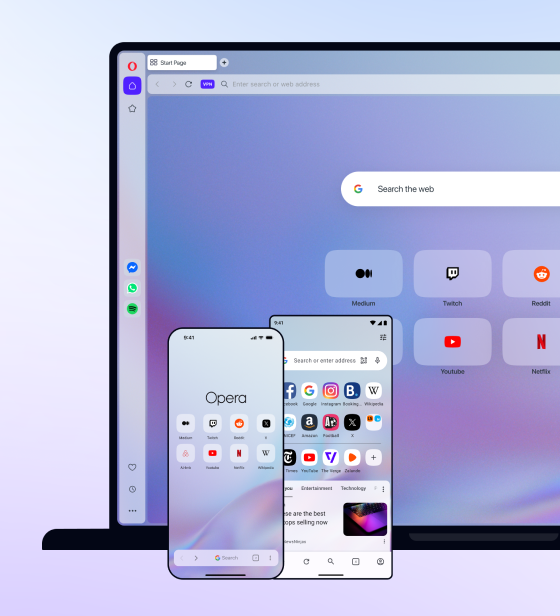
You deserve abetter browser
Faster, safer and smarter than default browsers. Fully-featured for privacy, security, and so much more.



You deserve a better browser
Opera's free VPN, Ad blocker, and Flow file sharing. Just a few of the must-have features built into Opera for faster, smoother and distraction-free browsing designed to improve your online experience.