
Opera Neon becomes available in public early access
Share


The wait is over! Starting today, you no longer need an invite code to access our AI agentic browser, Opera Neon. Since the initial launch back in October, we have been developing the browser hand-in-hand with our Founders community who were first to test it. Now we’re ready for everyone else to jump in and shape it with us. This means we’re moving from limited early access to public early access.
With Opera Neon, you’re getting access to an agentic workspace that gives you access to the newest and most powerful AI technologies and models as they emerge. You’re also getting access to continuous updates with new models and features. Opera Neon is also a community that allows you to directly interact with our team and participate in shaping the future of power browsing.
So, starting today, everyone can subscribe to Opera Neon at https://www.operaneon.com. Please bear in mind that it’s a premium, paid product at $19.90 per month, where you get access to several powerful agents and models that you would otherwise have to pay for separately elsewhere. Free access to our browser AI, Opera AI, is offered in our other browsers, with a more limited feature set that is comparable to other free and limited AI browser offerings from third parties. Opera Neon is where you go when you want cutting edge AI features and access to all the latest models that the space is talking about and using.
What is Opera Neon?
If you don’t know what Opera Neon is, let’s rewind for a moment and get back to the basics.
Opera Neon is our new browser built for people who want to get the most out of AI capabilities in their online experiences. Opera Neon incorporates the latest AI models and technologies that you can use, browse, and create with – all under one roof. As of today, this includes models like Gemini 3 Pro, OpenAI GPT 5.1, or AI technologies that let you create videos and images like Google’s Veo 3.1 and Nano Banana Pro. We ship the latest and greatest fast, meaning you will be among the first to gain access to the best models, regardless of who made them, through a single subscription.
Unlike a standard web browser, Opera Neon ships with several AI agents – currently four – designed to resolve different tasks for you. It’s vastly different from the classic web browsers that typically only display web pages and offer some options for customization.
Many agents and models under one subscription
We have designed Opera Neon to be your gateway to all things AI. As AI power users ourselves, we understand how it gets when you need to manage several subscriptions to different services – that’s why Opera Neon gathers the latest AI models out there and places them all in a single workspace, meaning you don’t have to pay for multiple subscriptions, only for one.
The reason why we can do this is because we designed Opera Neon’s AI engine to be LLM-agnostic, giving us the versatility to add new models and features just hours after they are launched. So, with Opera Neon you get access to:
- Latest AI models: Access to top-tier models including Gemini 3 Pro, GPT-5.1, Veo 3.1, and Nano Banana Pro.
- Neon agents: Tools that can book entire trips or build websites, generate videos, edit documents autonomously (Chat, Do, Make).
- ODRA deep research agent: A new agent called Opera Deep Research Agent (ODRA) that performs deep research for the user. Additionally, it has a “1-minute research” mode that can gather and synthesize information (with sources) on complex topics – perfect for a quick research.
The experience in Opera Neon starts with the agent selector that you’ll see in the start page, and which lets you choose which agent you want to work with. To open it you need to click on the dropdown menu on the right of the start page, next to the microphone icon – it looks like this:

Neon Chat
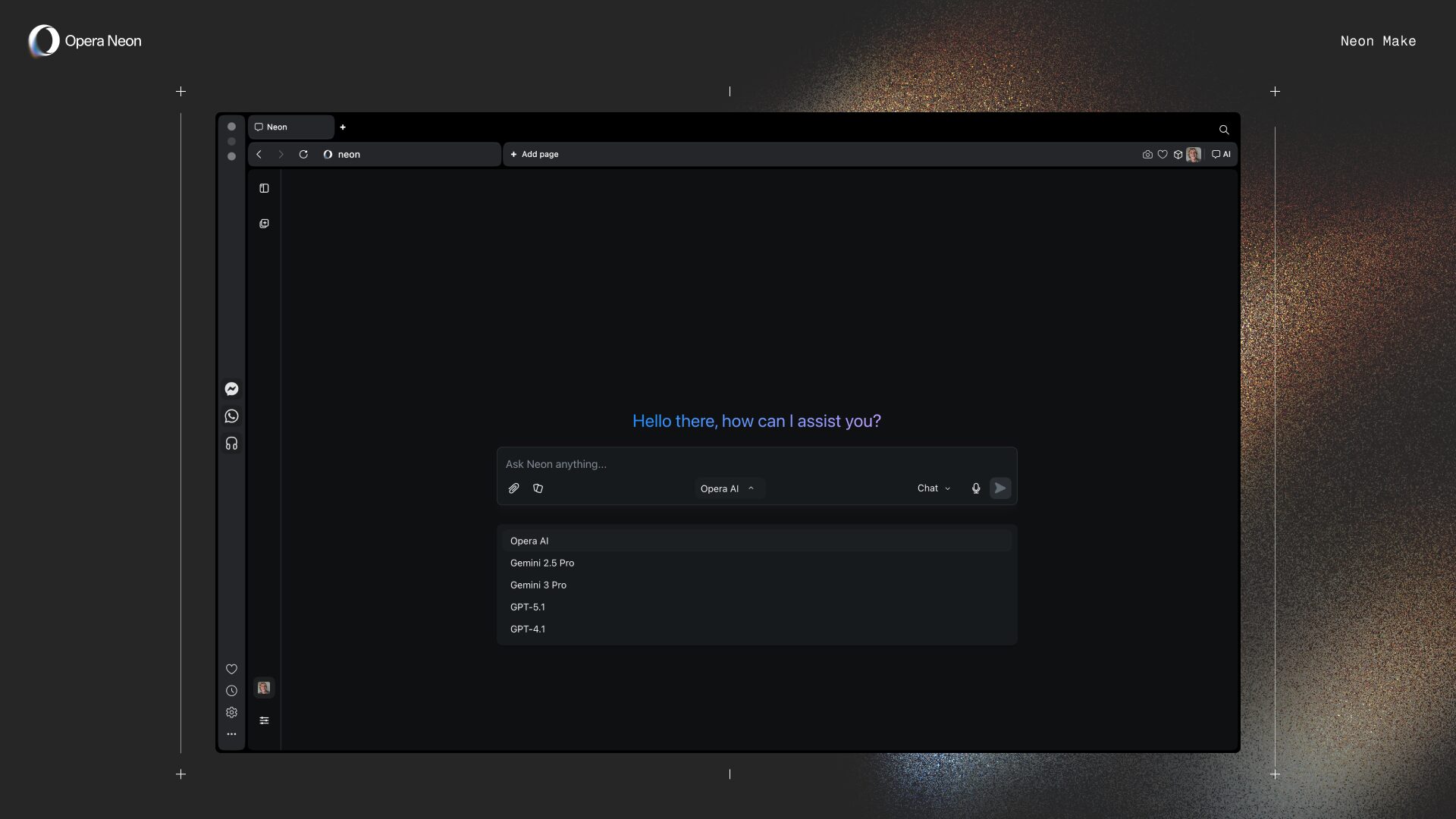
One of the main entry points to AI is usually a chat. In Opera Neon you get that entry point, and on top of it you can choose the AI model you want to interact with – and remember that we’re integrating the latest models from Google and OpenAI, so you always get the top-of-the-line models. You can choose the model from the Neon Chat interface by clicking on the dropdown menu located in the middle of the input box:
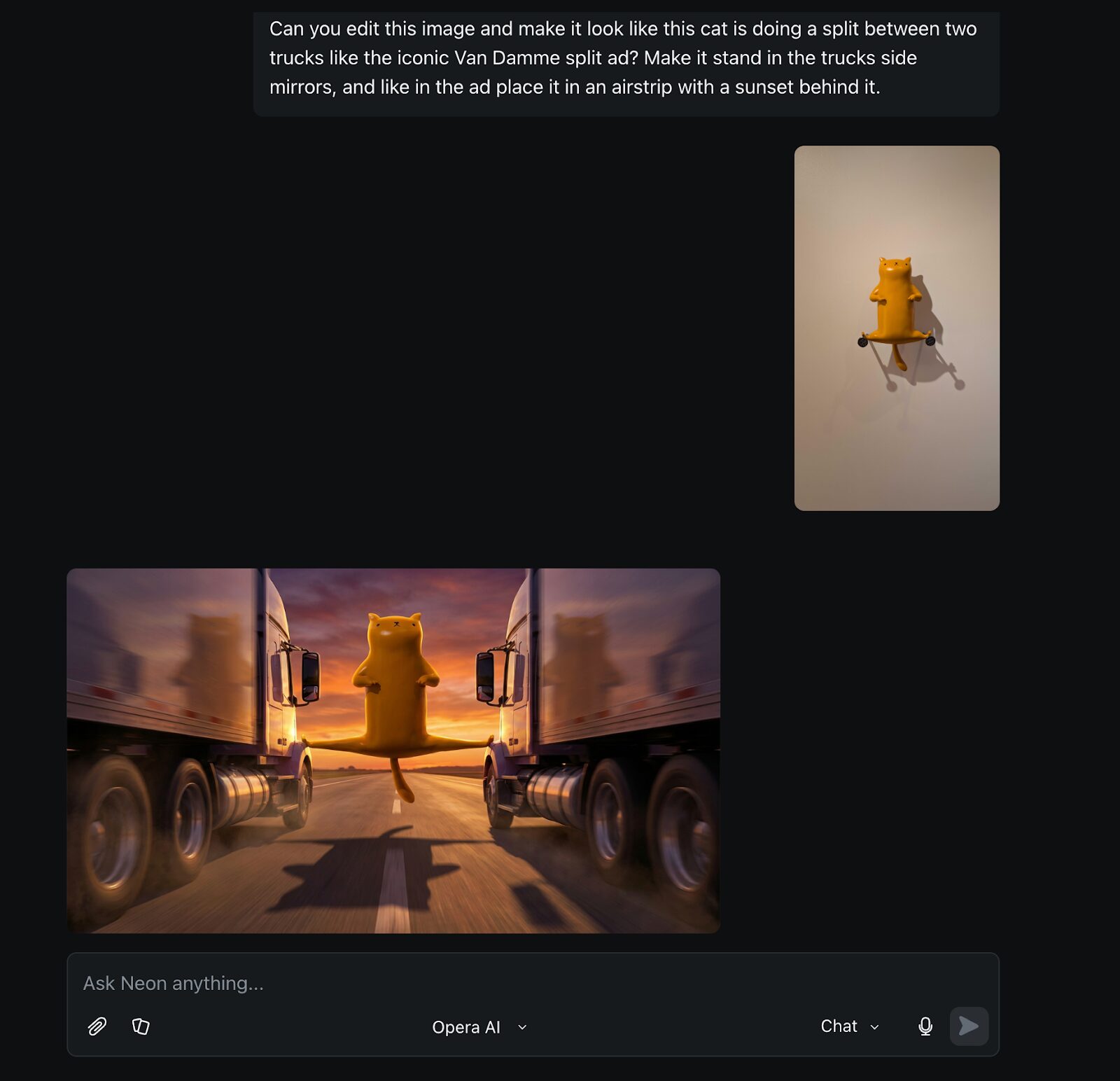
I don’t need to teach you how to use an AI Chat, but did you know that Neon Chat lets you edit images by using Nano Banana Pro? Let me show you a funny one I did the other day: I was in a museum and saw this funny sculpture of a cat doing a split that reminded me of Van Damme’s iconic split. So I wanted to recreate an iconic scene with the little cat. Silly? Maybe, but Opera Neon got it on the first try.
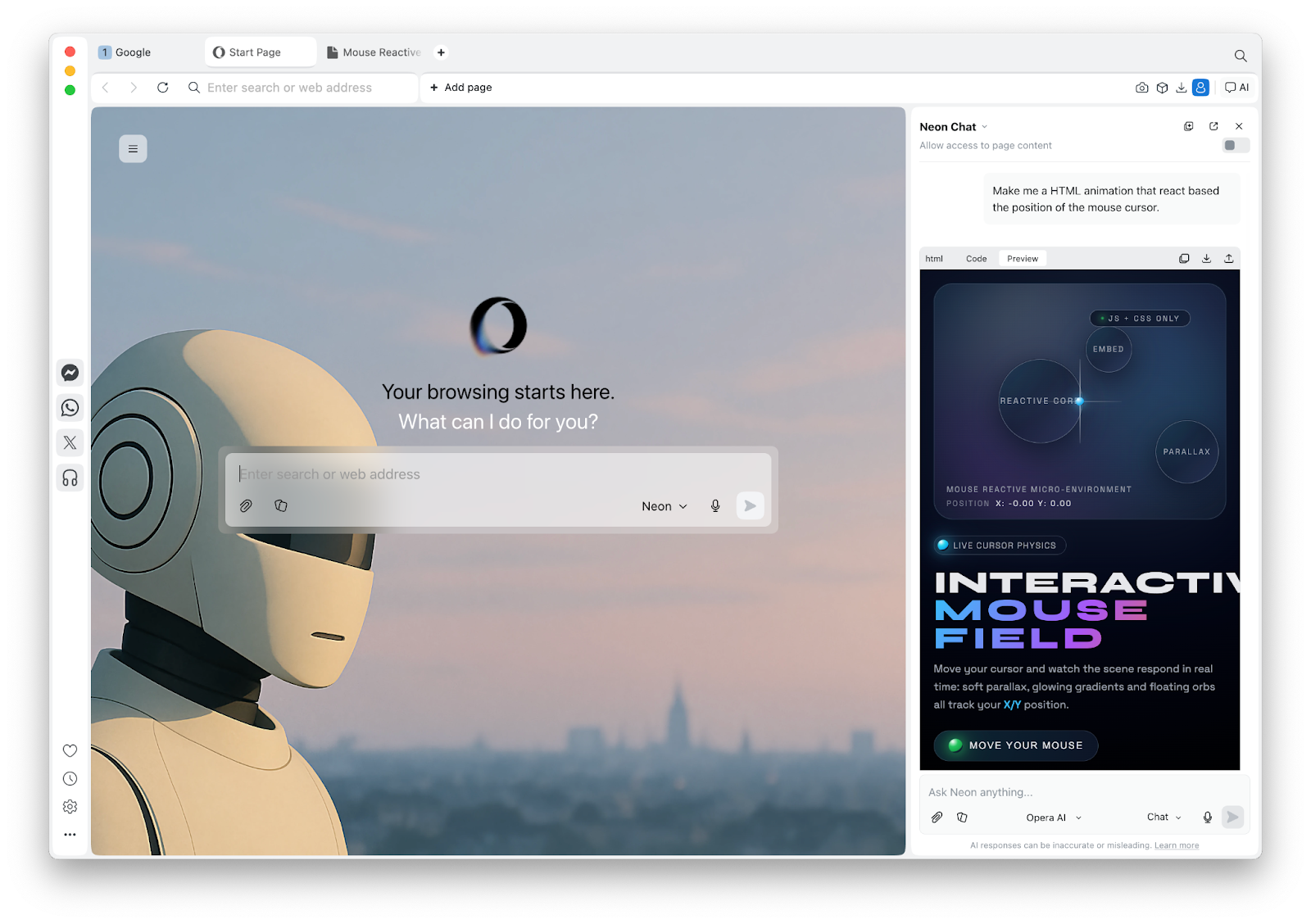
Furthermore, if you’re doing something more serious like working on a coding project, Neon Chat can show you the code you requested in the interface and lets you copy, download, or even share the output of such code as a deployable link. You can now build small web applications directly in Neon Chat and share it without the need to use the dedicated Neon Make agent for this purpose.
Neon Do
Opera Neon is a browser that can do things for you on the web, and we’ve recently added something that the community was requesting: support for Google Docs and Sheets. Now this is something for you if you’re the kind of person that uses your browser for work and are keen on AI to help you get it done quicker and more efficiently.
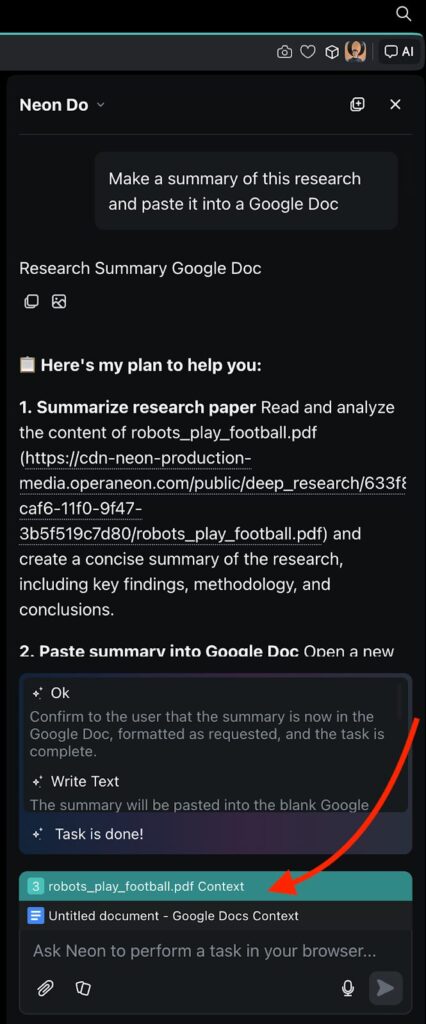
One interesting way of using Opera Neon’s browsing capabilities and integration with Google Docs is to mix it with the deep research mode (of which we’ll talk in depth further on). For example, you can use deep research to understand something like “how can robots play football in the field of robotics?” After you get the report, you can easily have Neon extrapolate the key points of the research and the methodology into a Google Doc for you to edit or continue with however you like. Or have it create a spreadsheet that contrasts the data found in the research that it just created for you – all ready for you to keep formatting and working on it.
This is possible because with Opera Neon, you can always use the “AI button” located at the top-right of the screen and open the AI panel, where you can change between AI agents and models. Additionally, it will take the webpage or document you’re currently working on as part of the context of the prompt, as shown in the following image:
Neon Make
Whether you want to create a web app or a video, you can use Opera Neon to get it done in a quick and precise fashion. We’ve already explained how Opera Neon can be used for making web-based apps and games that you can share with others – you can check that out on this blog post – but today we’ll talk about newer stuff that we’ve added recently.
Opera Neon is also a platform that lets you create videos by using the latest video generation AI models such as Veo 3.1 from Google and Sora 2 from OpenAI. These models allow you to boost your creativity further by creating something from scratch entirely, or using images as reference and creating a video out of them.
It’s easy to create videos using Opera Neon – you just need to head to Neon Make and prompt what you want. Additionally, if you want to specifically use Sora 2 or Veo 3.1, you simply need to specify it in your prompt. Finally, you can attach images to your prompt that will be used by Opera Neon to create your video. Check out the following video where we explain how this works in practice:
Opera Deep Research Agent (ODRA)
When you’re faced with a research project one of the biggest challenges is knowing how and where to start the research. It can feel overwhelming – almost impossible, even. But in research, any progress you make will get you closer to the goal, and Opera Neon can help you with that. The introduction of the Opera Deep Research Agent (ODRA) gives you a full-time research assistant that’s capable of gathering sources, contrasting them, and then creating a full report with cited sources for you to work with.
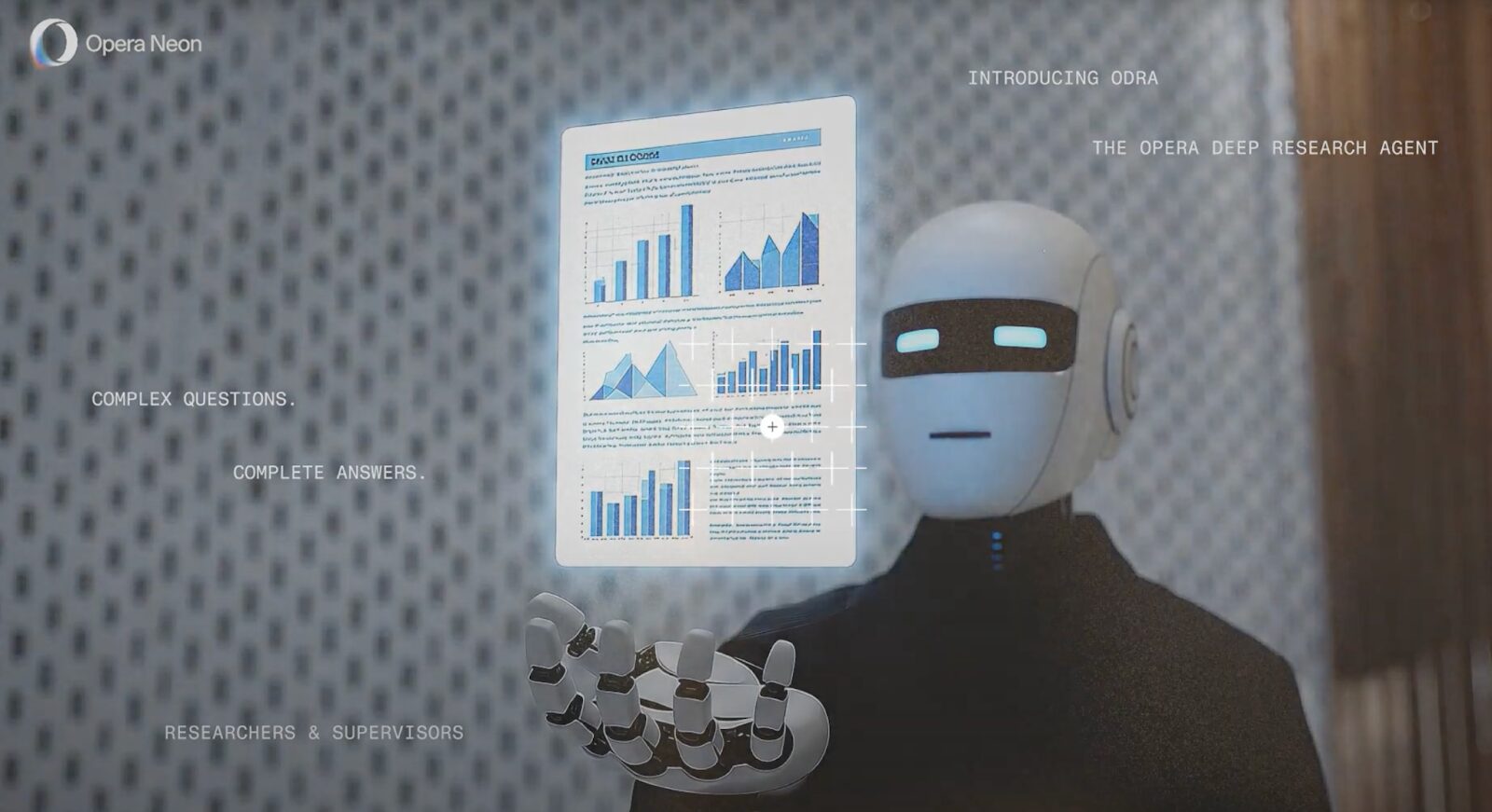
If you’ve done in-depth research before, you’ll understand how much of a time-saving feature this is. Starting your research project is always the most intimidating step. With Opera Neon it is easier than ever to do so, and the sources it gives you are an amazing resource for you to move forward. Bear in mind that deep research is a process that can take some time – typically around 20 to 30 minutes, depending on the topic you’re researching.
But wait, what if you’re not planning on making a whole research project? What if you just want a deep answer for something that would otherwise take you half an hour of digging around – something like a “quick research” that could help you complete that report you’re working on? Well, Opera Neon has you covered, because we recently just released what we call “1-minute-research” mode. As its name suggests, it’s a quicker version of the deep research agent – perfect for those situations where you’re in a rush and don’t need a twenty-page long report, but rather a three-pager executive version.
Regardless of what you use it for, the deep research agent is all about bringing you closer to the information that’s relevant for you no matter the context – be it for academic research, a work report, or simply a personal inquiry that goes beyond a traditional search.
From tabbed browsing to AI assisted Tasks
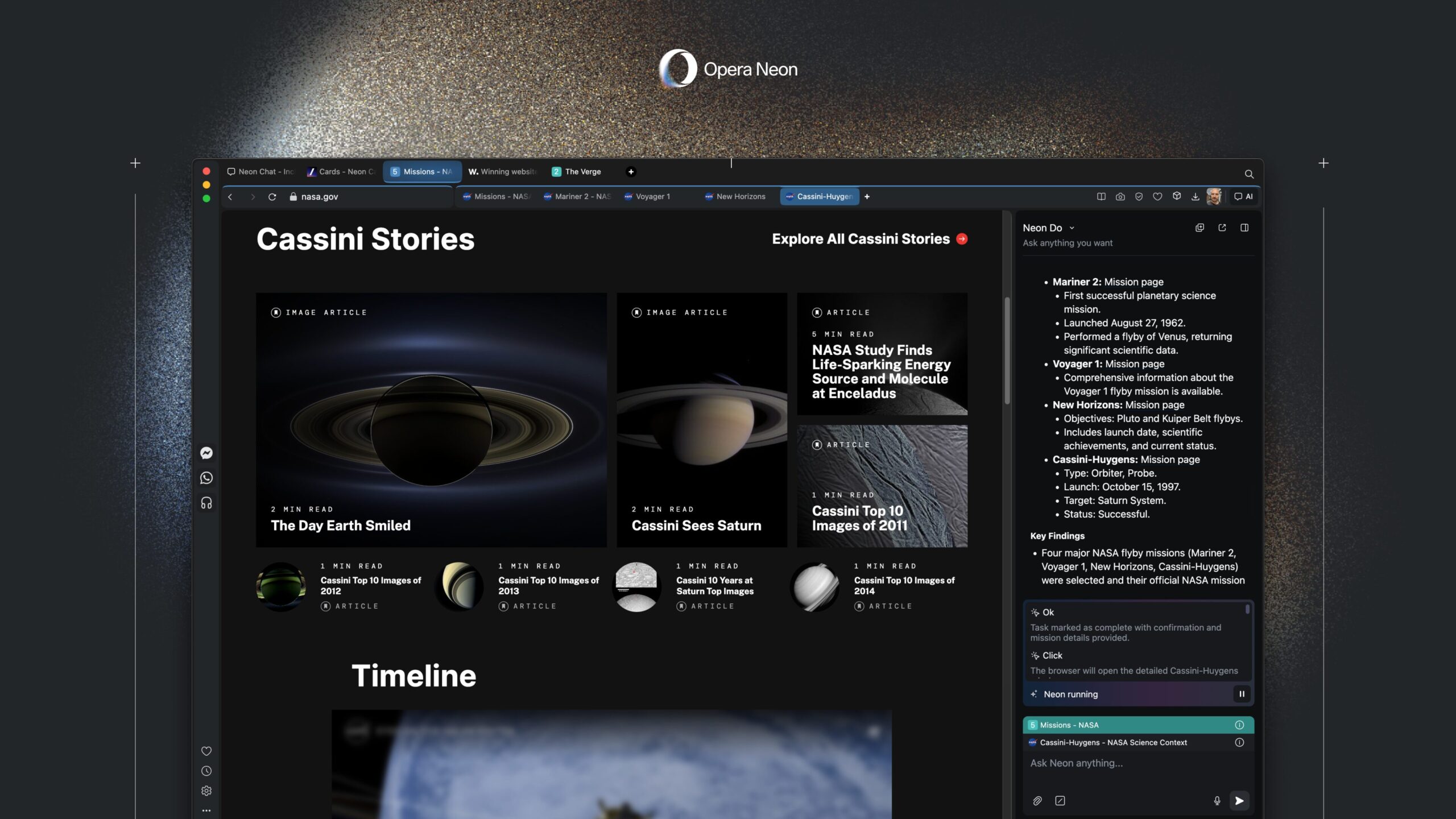
To make it easier to survive juggling multiple websites, documents, AI chats, and traditional searches, Opera Neon introduces Tasks as a new way of organizing and working with them within one context.
Tasks are self-contained workspaces that understand context and make it possible to use the AI to analyze, compare, and act across multiple sources at once. You can think of it as Opera Neon creating a separate mini-browser for each of your tasks, where the AI understands what you’re doing and helps you in this context – without accessing information from everything else in your browser (your other tasks).
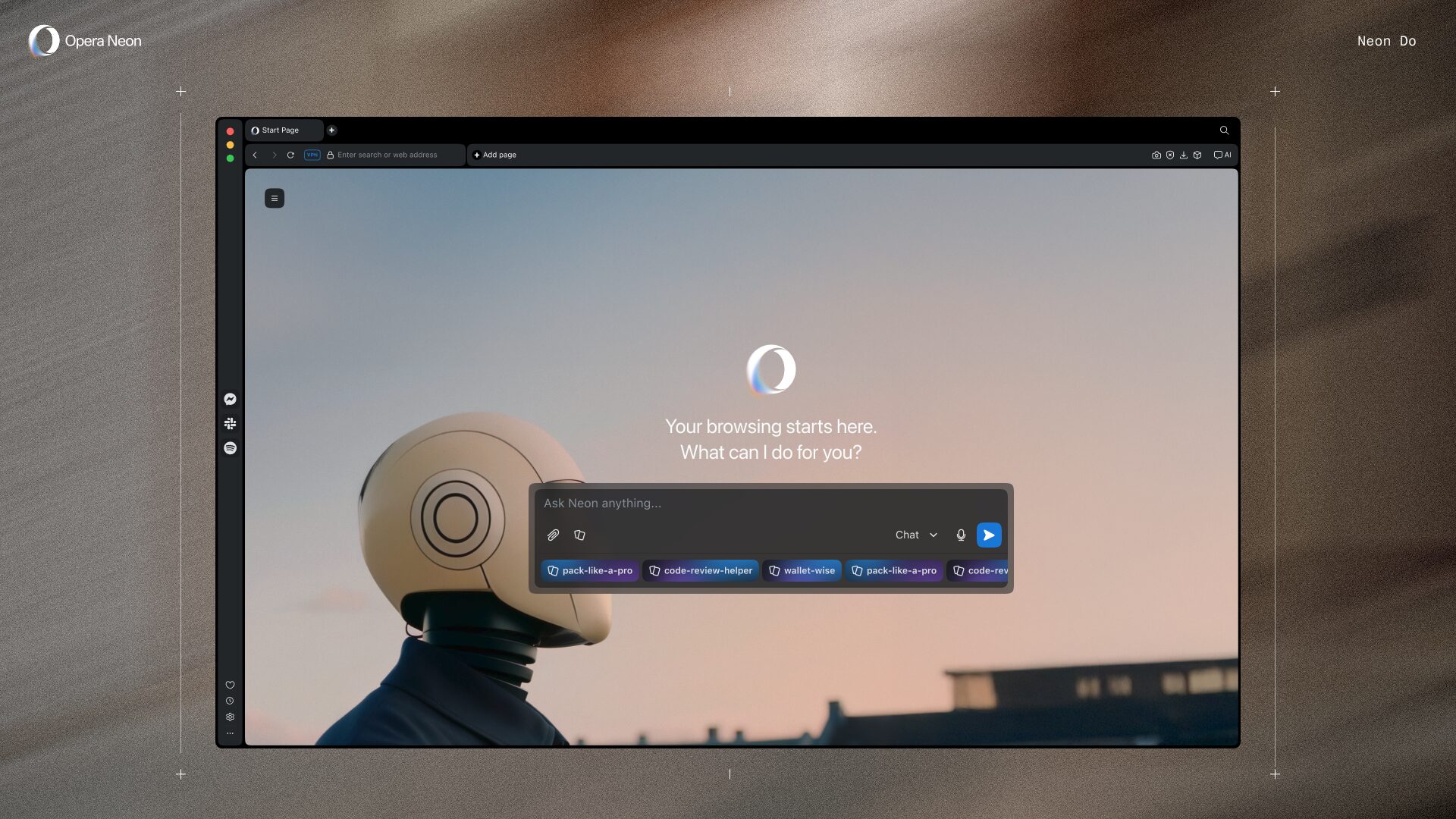
Opera Neon also features Cards, which work like a power-up known from card-based strategy games. When you add a card to your prompt its instructions are automatically factored in and used, bringing Opera Neon’s response closer to what you’re looking for. There is also new support for specific types of cards that relate to agentic workflows. As an example, you can create a workflow agent card and use it for repeating recurring tasks you have.
Join the community!
We are developing Opera Neon with the direct feedback from our Founders community, and we’ve made our Discord server the hub for this.
Some examples of things we’ve added directly from the community feedback are the model selector in Neon Chat, or the video generation capabilities with Veo 3.1 and Sora 2. Additionally, we have also added image editing capabilities with Nano Banana Pro, and we’ve deployed a new agent altogether: the deep research agent.
We’re constantly receiving feedback from our Founders community and integrating it into our development stream, and from today everyone is also invited to join the Discord and shape the future of web browsing with us.
Opera Neon is the latest addition to the family of Opera browsers
You might be wondering how Opera Neon fits among our browsers? That’s a fair question. We’re incredibly proud to make browsers that you choose to use, instead of coming pre-installed – and you’re one of almost 300 million people using our browsers! We also know that there’s no such thing as a one-size-fits-all browser out there, and so we truly specialize in building browsers that suit your needs and tastes.
For example, our flagship browser, Opera One is carefully tailored for a more general user base, Opera GX was designed for gamers, while Opera Air is for those of you who want to incorporate mindfulness in their lives. All Opera browsers ship with a free and advanced, LLM agnostic, AI solution that stems from Opera Neon.
But what if you want more AI tools and want the best models out there as they appear? Then Opera Neon complements this by being tailored for those of you who are most advanced and demanding, and those who want to participate in shaping the future of web browsing. Opera Neon is for people who believe AI agents will be a core part of the browsing experience, and want to test it first-hand.
Join the Opera Neon public early access
Opera Neon is your one AI subscription to rule them all, and for $19.90 per month you get access to all of its features and models. You can download it and sign up at https://www.operaneon.com.
See you in the future!

User comments
Turn ideas into action
Chat, create, and get things done with Opera Neon, the AI-powered browser that researches, builds, and acts for you.


You deserve a better browser
Opera's free VPN, Ad blocker, and Flow file sharing. Just a few of the must-have features built into Opera for faster, smoother and distraction-free browsing designed to improve your online experience.