
Busting VPN myths: What a VPN can do for your privacy and what it can’t
Share


If you’re reading this blog, you have probably heard of or used a VPN before. The truth is, VPNs are incredibly useful! They are one of the most effective tools for protecting your online privacy. They encrypt your internet traffic, disguise your IP address, and can shield you against malicious actors when connecting to public networks. In fact, we’ve put together a whole article explaining how they keep you safe.
But like any privacy tool, there are some limits. If you understand those limits, you’ll get far more out of your VPN and learn to use it in the most effective way.
So, let’s address some of the most common VPN myths:
Myth: VPNs will guarantee absolute online security.
Truth:
A VPN can protect your connection, but it cannot guarantee full security in everything you do online. While it encrypts your traffic and hides your IP address, it won’t stop you from downloading a malicious file, clicking a phishing link or visiting a dodgy website. For example, if you unknowingly come across a fake shopping site and enter your payment details, your VPN will do its job to encrypt that traffic, but it can’t tell whether the destination it sends the traffic to is trustworthy.
Advice:
Stay cautious. In addition to using a VPN, make sure you always verify a website’s authenticity. One way to do that is by clicking on the lock icon on your browser address bar and looking for a valid certificate. You can also take care to manually type in the URL of the website you wish to visit – especially important when you visit sensitive sites like your bank or your health provider, for example. Look out for any suspicious signs in the domain name, or even some unusual displays on the site. You can also check reviews of a site to see whether there is legitimate feedback or any warnings by other users.
Myth: With a VPN, I am completely anonymous online.
Truth:
VPNs can hide your IP address, which makes it harder for websites, advertisers, and even your internet service provider to know your exact browsing location and look through your traffic. This gives you more privacy and control over your online experience. However, there are other clues that can still give you away. For example, if you have trackers and cookies enabled, these small bits of data could still help websites figure out who or where you are. Similarly, if you are logged into an online service e.g. a social media website, an email service, or an online store, they still know who you are despite your using a VPN.
Advice:
Clear your cookies before turning on your VPN or use your browser’s private mode such as Opera’s Private Window to avoid locally-saved data from being associated with your browsing.
By the way, keep in mind that browser private modes don’t hide your presence online – they are meant to keep your session private on the device you are on. In other words, you use the VPN for staying private online, and Private Window for keeping your local session private!
In addition, you can use the built-in Ad Blocker and Tracker Blocker on Opera to block more excessive tracking!
Myth: VPNs slow down your browsing
Truth:
It used to be that connecting through a VPN would give you privacy in return for reduced browsing speeds. The issue is practical: Instead of connecting from your device straight to the server you wish, you need to go through the servers of your VPN service provider – it would be expected that things slow down somewhat while this process takes place.
In addition, the traffic, whether through the browser (if you’re using a browser VPN) or the entire device’s traffic (if you’re using a device-wide VPN) needs to be encrypted before leaving your device – this adds to the “overhead”, so to speak.
However, modern devices and servers are able to handle this additional load without too much trouble. Plus, recent developments in VPN protocols have directly contributed to improving connection and browsing speeds so that you don’t have to worry about trading speed for privacy!
Advice:
Check out Opera’s VPN Pro, equipped with the state-of-the-art Lightway protocol – a more efficient, less resource-intensive VPN protocol that ensures faster speeds while keeping you secure.
Final remarks
Despite their limitations, VPNs are a great way to stay more secure and private online. When you understand what a VPN can and can’t do, you’ll be in a better position to protect your personal information, browse with confidence, and enjoy the benefits of a more private internet. At Opera we offer two VPN services to suit different needs:
Free browser VPN
Our first-of-its-kind browser VPN is free and available to all our mobile and desktop users without the need to download any additional extensions or add-ons. Opera’s free VPN benefits from integrated DNS-leak protection, AES-256 encryption for all your Opera browser traffic, and unlimited bandwidth. Our strict no-log policy means that no data is collected or stored by the VPN to protect your privacy. Our no-log policy has been independently audited by Deloitte, which you can read more about here.
VPN Pro
For those who seek a more premium, device-wide VPN, we offer VPN Pro – a subscription-based service. VPN Pro protects and encrypts your data across your whole device system, not just the browser. One of the coolest features? It is powered by the Lightway protocol which makes it a fast, reliable, and efficient VPN that is light on your device battery without compromising on performance. With VPN Pro, users can enjoy secure connections across up to six devices and choose from 48 locations worldwide to connect to. More info about VPN Pro can be found here.

User comments
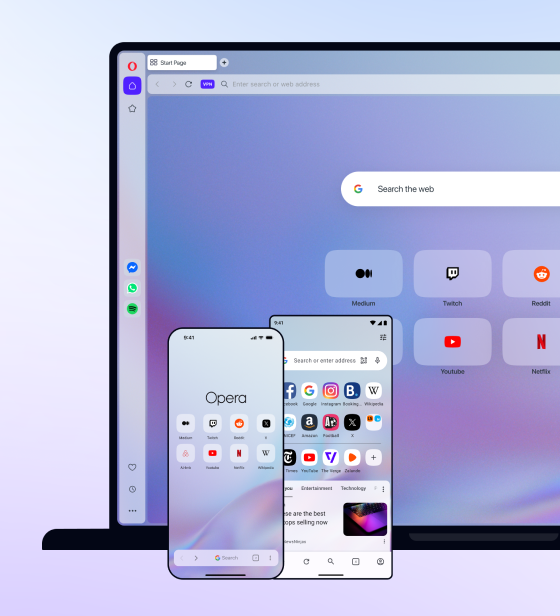
You deserve abetter browser
Faster, safer and smarter than default browsers. Fully-featured for privacy, security, and so much more.


You deserve a better browser
Opera's free VPN, Ad blocker, and Flow file sharing. Just a few of the must-have features built into Opera for faster, smoother and distraction-free browsing designed to improve your online experience.