
Opera presents Early Bird mode in Opera One to test upcoming features
Share


Hey all,
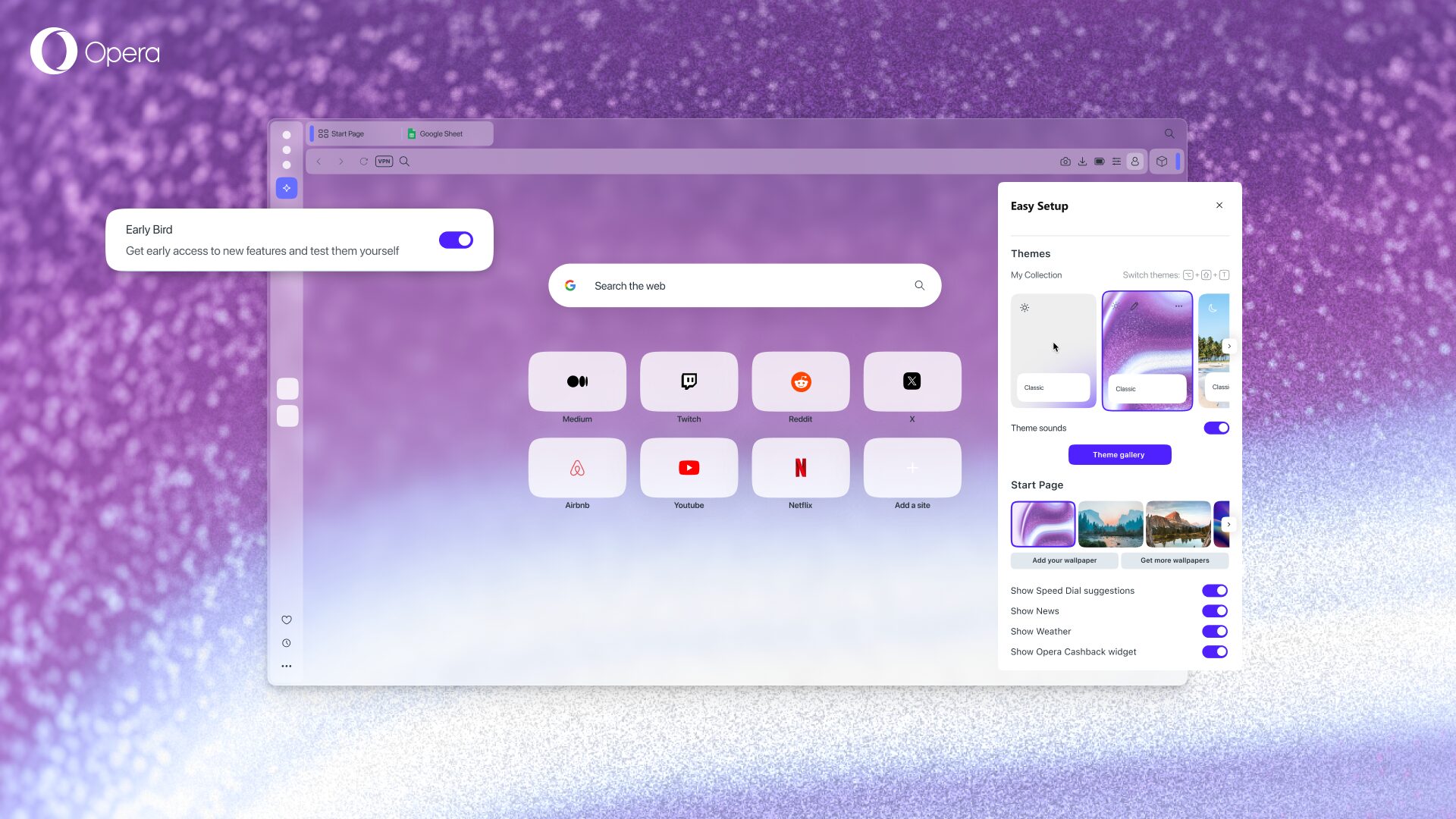
Today we’re introducing the “Early Bird” mode to Opera One, which is a way for you to test the upcoming features just ahead of its official release, directly in the main Opera One browser, without the need to use the separate Opera Developer to test upcoming features. Simply toggle a switch in settings and start testing upcoming features.
The Early Bird mode is something that those of you who use Opera GX might be familiar with, and now we’re bringing it to Opera One. When you enable Early Bird you should consider that such features might not yet be fully ready and still need some fine tuning, and that’s why it’s important for us that you use Early Bird, test them and give us your feedback.
Likewise, this update means that we’ll soon be sunsetting the Opera Beta browser that we’ve been using for testing and fine tuning new features as the previous stage between Developer and Stable.
Test the latest features directly in Opera One
As we mentioned before, the Early Bird mode lets you, and anyone, test the latest features that we want to bring to the browser – you can see it as activating the “beta testing mode” in Opera One. To activate the Early Bird mode you simply need to:
- Update Opera One to the latest version.
- Open the Easy Setup menu – click on the three horizontal bars icon to the right of the address bar, or open the Settings menu.
- Go to the Early Bird option.
- Toggle the Early Bird button on, and choose which features you want to try.
- Relaunch Opera.
It’s really that easy! Just by toggling a button on and restarting the browser, you can become part of our Early Bird testing community and leave feedback on the new features we have in store for you – that is, leaving your mark in the development of our flagship browser! To send feedback simply click on the smiley face next to each feature’s toggle button.
When turning Early Bird on you’ll see the following:
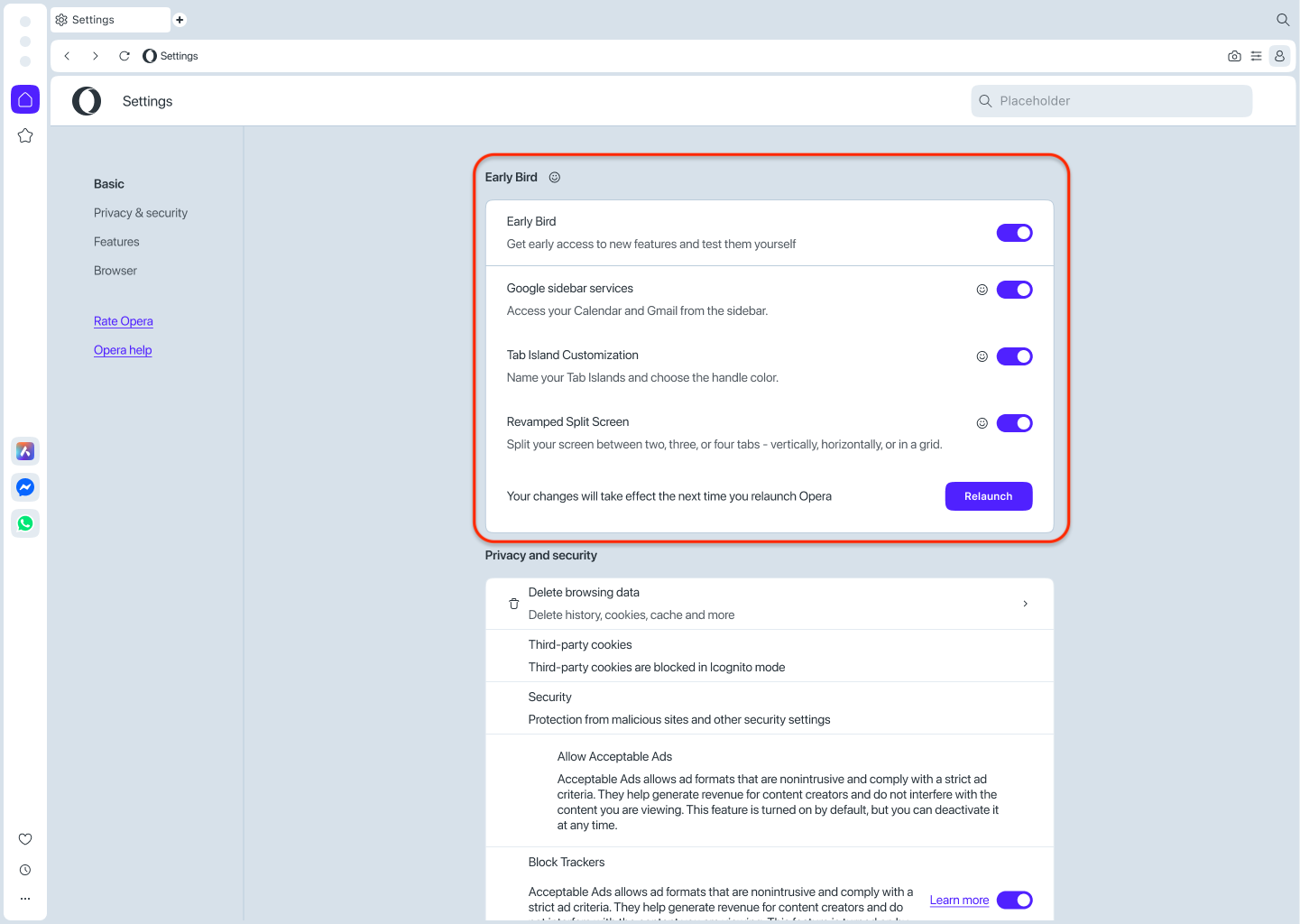
So, when you turn Early Bird on you can choose which new features you’d like to try and which ones you’d rather leave off. Additionally, we would like to encourage you to leave feedback about each feature by clicking the smiley face that’s next to the toggle button of each feature – we truly appreciate that!
What happens to Opera Beta and Opera Developer?
The introduction of the Early Bird mode means that we will discontinue Opera Beta, and support for that browser will stop on January 14, 2026. While the Beta version of Opera will be sunsetted, Opera Developer will continue to be supported just as usual.
So how will the Opera ecosystem look like after these changes? Well, let’s go over the changes for each of the browsers that compose such ecosystem:
- Opera Developer: this is our browser for testing bleeding edge stuff, that may or may not get to our main browser – and will continue working. It’s the place where we do the very first tests for new things that just came out of the oven. Opera Developer acts also as an early warning system that helps us detect instabilities in the things we develop, and thanks to your amazing feedback we can detect things that early on – so, on behalf of everyone at Opera, thanks to all of you Opera Developer users, you’re the unsung heroes of the browser.
- Opera Beta: this browser will be discontinued as it was a legacy from the past and is used only by a small set of users – If you were using it, you’ll need to switch to another of our many browsers of choice. As we prepare to phase out Opera Beta, we want to help you secure your information. For this, you can use Opera’s sync feature to move all your data from Opera Beta to any other Opera browser – it will synchronize your settings, passwords, extensions, bookmarks, and history. Please make sure to do the sync and migration of your date before January 14, 2026.
- Opera One (Stable): our flagship browser will continue as is today, with the special opt-in program that is Early Bird. The features that are going to be tested on Early Bird are in a more stable state than in Opera Developer, but still require some input from you, our Early Bird community.
How to move your data from Opera Beta to other Opera browsers
If you’ve been using Opera Beta and want to move your data to another Opera browser, follow these steps:
- Use the Opera Account button (top right in the browser) to sign up or log in to Opera.
- Once logged in, click the Opera Account button again and click ‘Sync‘.
- Now select ‘Sync everything’.
- Then go to the Opera browser of your choice, and repeat the process.
Once you’ve logged into your Opera account in another Opera browser and repeated the aforementioned process your data will be synced – it’s that easy. Remember to do this before January 14, 2026.
Download Opera One and become an Early Bird
If you want to try the latest features that we have prepared for you, they are now just a few clicks away in Opera One! You can download the browser here.

User comments
You deserve abetter browser
Faster, safer and smarter than default browsers. Fully-featured for privacy, security, and so much more.


You deserve a better browser
Opera's free VPN, Ad blocker, and Flow file sharing. Just a few of the must-have features built into Opera for faster, smoother and distraction-free browsing designed to improve your online experience.